

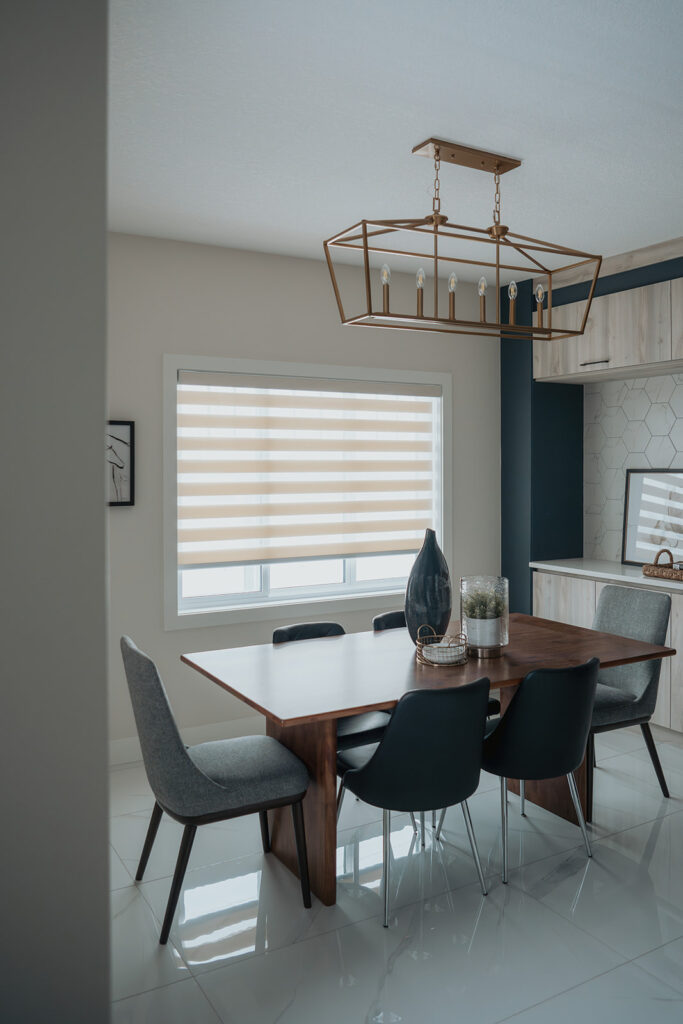
Make a window list before you start shopping
Give each opening a name you will recognize later: “Living room — left,” “Living room — right,” “Main bedroom” or “Office.” Use the same names in your measurement notes and the product page’s Room / Window field.
Use quantity two only when every detail matches. If the mount, size, fabric or control differs, configure that blind separately.
For each opening, record the product you are considering, the mount, measurements, fabric, controls and hardware choices. A quick photograph can help you remember which window has a handle, crank or shallow recess, but it does not replace measuring.
Measure windows individually even when they look the same. Matching frames do not establish matching openings. Keep the original readings for each window before deciding whether two blinds can share a configuration.
It also helps to separate decisions that are finished from questions that remain. If you have chosen a fabric but still need to check mounting depth, mark that window as needing a check. Do not fill an uncertain measurement with a number from the next window.
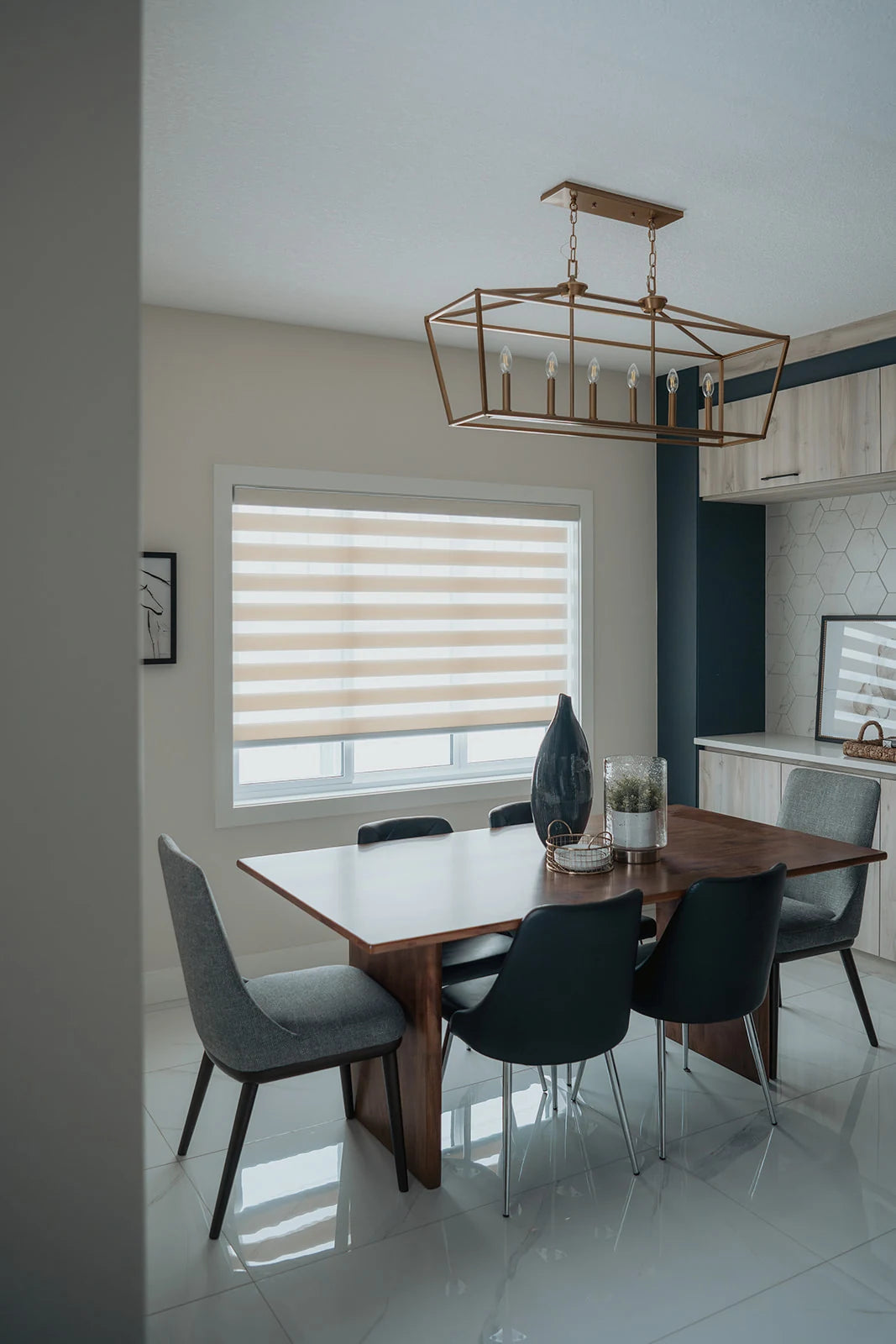
Choose the product for what you want the window to do
You can use different blind types in the same home. Decide what matters at each window before selecting a colour.
| Your priority | Product to consider | What to understand before choosing |
|---|---|---|
| Soften daylight through a single fabric panel | Light-Filtering Roller Blinds | Privacy changes with the fabric, lighting and viewing angle. Do not assume complete privacy when the room is lit at night. |
| Limit light through the fabric | Blackout Roller Blinds | Light can still enter around the edges. The fabric choice alone does not guarantee a completely dark room. |
| Adjust the view and light using alternating bands | Zebra Blinds | Moving the fabric bands across the sheer areas changes the view through the blind. Zebra fabric is not blackout fabric. |
| A cellular shade raised and lowered by hand | Cordless Honeycomb Shades | Novo’s online Honeycomb selection uses standard cordless lift. Choose from the options on that product page. |
Compare physical fabric samples in the rooms where the blinds will go. Look at them against the trim and wall colour, in daylight and with the room lights on. A swatch helps you judge colour and texture; it cannot show the installed blind’s edge gaps or verify the fit of its hardware.
Similar colour names across different fabric families do not establish an exact match. If adjacent windows need a coordinated appearance, compare the actual fabrics together before ordering.
In the shop · 01
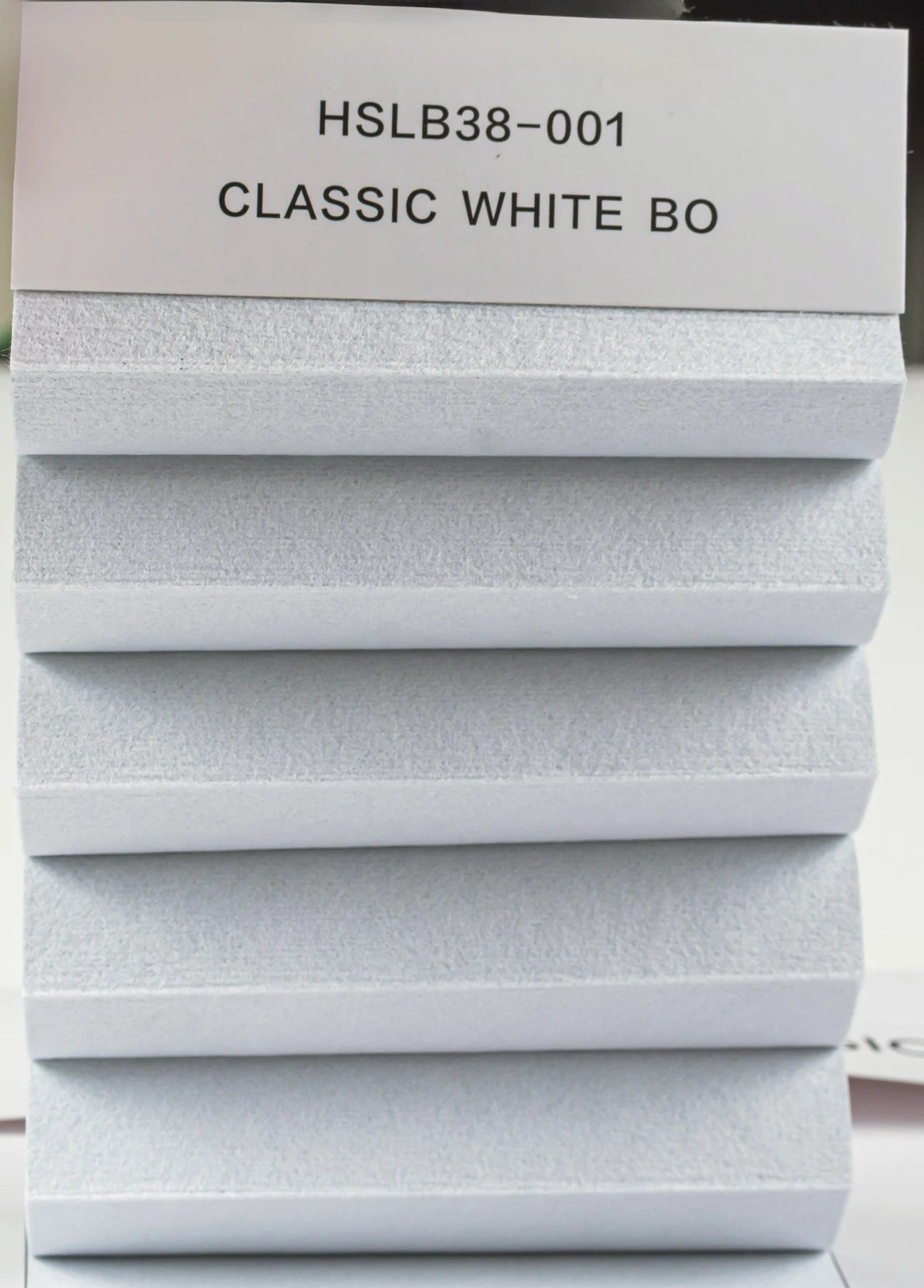
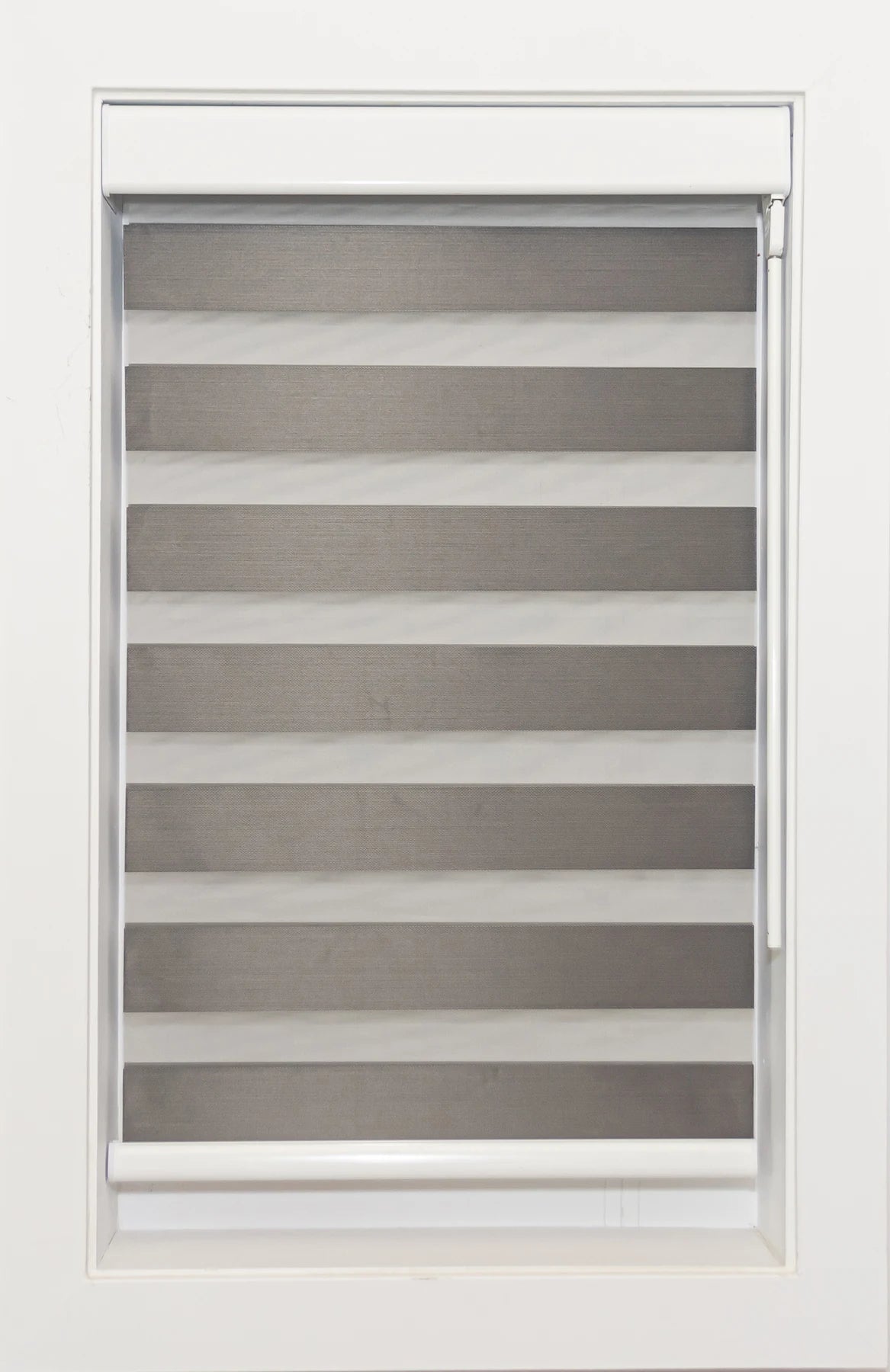
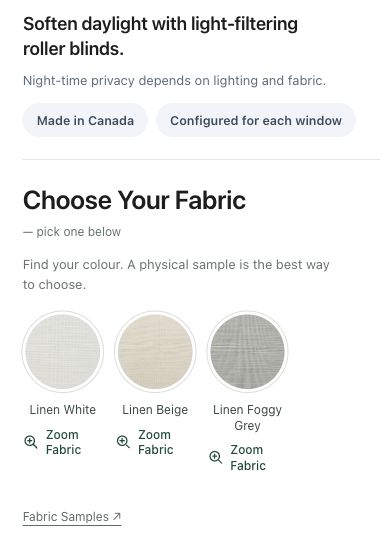
Choose the fabric for this window.
Start on the page for your chosen product. Match the full fabric name to your samples and window notes before moving to the measurements.
Measure the opening, then check that the blind can fit
Use Novo’s illustrated measuring guide alongside your window list. It explains where to take the readings and how to enter fractions.
For an inside mount, the blind sits within the window recess. Measure the opening with a steel tape at three widths and three heights. Novo’s current instructions are to enter the smallest width and the smallest height, to the nearest eighth of an inch, without making deductions.
Write width first and height second. For example, 35⅝″ W × 47¾″ H means a window wider than 35 inches and taller than 47 inches. If you use decimals, those entries are 35.625 and 47.75. Do not round the opening to a whole inch or a convenient catalogue size.
Width and height are only part of fit. Check the available recess depth and the space around handles, cranks and trim. A blind can be within the online size range and still need a mounting check at your particular window. Ask Novo if the cassette, brackets or moving fabric may meet an obstruction.
For an outside mount, confirm the mounting position and dimensions with Novo before ordering. The inside-mount instructions do not tell you how much overlap to add. Do not apply an arbitrary extra amount or copy another supplier’s deductions.
In the shop · 02
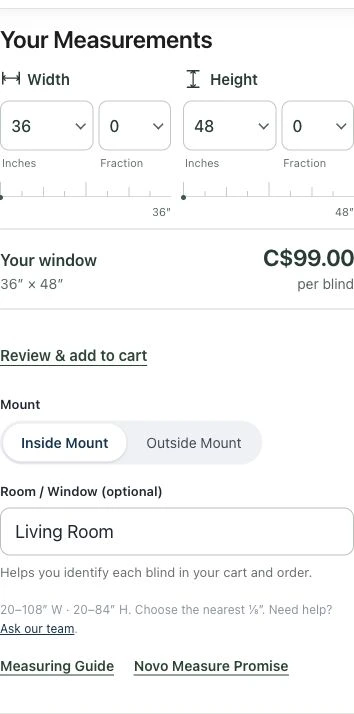
Give the window its own details.
Enter width and height in the matching fields, choose the confirmed mount, then add a room or window name you will recognize later.
Opening width is not the same as fabric width
The opening, the complete blind assembly and the fabric are different things to measure. The size you enter for an inside-mount order describes the opening according to Novo’s measuring instructions. It is not a request for a piece of cloth of that exact width.
Do not measure only the glass or copy the cloth width from an old blind into the opening-width field. Likewise, do not subtract an amount because you expect the new fabric or hardware to need clearance. Novo makes the inside-mount allowances.
If you need a particular amount of fabric coverage, are replacing only part of an existing system, or want several blinds within one wide recess, discuss the layout with Novo. Hardware space, mounting positions and gaps between separate blinds need to be considered before you decide what to order.
A worked example: six windows, five configurations
Here’s how six windows could become five configurations. This planning example assumes every opening has been measured separately and its mounting space checked. The living-room pair shares the same dimensions and choices. It is an example, not a customer order or quote.
Dimensions are width × height in inches.
| Window label | Opening size to enter | Product and fabric | Control choice | Quantity |
|---|---|---|---|---|
| Living room — left and right | 36″ × 48″ | Light-Filtering Roller, Linen White | Manual, right | 2 |
| Main bedroom | 47⅜″ × 59½″ | Blackout Roller, Novo White | Manual, left | 1 |
| Guest bedroom | 35⅝″ × 47¾″ | Blackout Roller, Novo White | Manual, right | 1 |
| Office | 59½″ × 47⅞″ | Zebra, Twist Dove White | Manual, right | 1 |
| Hall | 31¾″ × 46¼″ | Honeycomb, Classic White BO | Cordless | 1 |
In this example, all Roller and Zebra Blinds use an inside mount, a standard smooth cassette and white cassette colour. The Honeycomb uses an inside mount and the white headrail shown for the selected configuration. These are example choices, not a recommendation for every room.
There are six physical blinds but five distinct configurations. Only the living-room pair can use a quantity of two.
The bedroom blinds need separate configurations even though they share a product and fabric: their widths, heights and control sides differ. The Office Zebra and Hall Honeycomb also need their own product configurations.
If one living-room blind needed its control on the left instead of the right, that pair would no longer be identical. Configure them separately with quantity one each. A quantity field repeats the entire chosen blind; it does not let you assign a different option to the second one.
Build the order one configuration at a time
Start with the first completed row in your window list.
On the matching product page, select the fabric, enter the width and height, and choose the mount and available finishing options. Use the Room / Window field to keep the item identifiable. Check the complete summary and displayed price before adding it to the cart.
For the example living-room pair, choose Linen White Light-Filtering Roller, enter 36 inches wide and 48 inches high, select the stated mount, manual control side and cassette choices, then set Identical Blinds to 2.
After adding that pair, return to your list and mark both living-room windows as accounted for. Configure the Main bedroom separately, followed by the Guest bedroom, Office and Hall. Check the quantity again for every new configuration so the previous item’s quantity does not become an assumption.
Keep these distinctions clear as you work:
- Fabric and hardware colour are separate choices. Selecting a white fabric is not a substitute for checking the cassette or headrail shown in the summary.
- Cassette style and cassette colour are different. A smooth cassette and a fabric-insert cassette are different styles; choosing white does not choose between them.
- Control choices belong to the individual blind. Where manual control is offered, check the selected side. Where motorization is offered, review the current package and any optional accessories on that product page.
- Options vary by product. Do not carry a Roller control or cassette assumption into the cordless Honeycomb configuration.
If an item is wrong in the cart, Novo’s measuring guide recommends opening its product page, adding the corrected configuration and then removing the old line. Check the resulting contents carefully: adding a corrected blind does not remove the incorrect one for you.
In the shop · 03
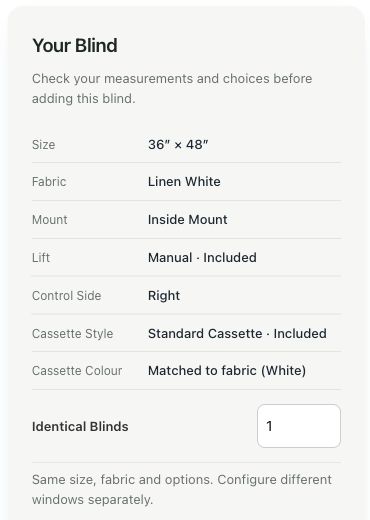
Read the complete selection before adding it.
Check fabric, dimensions, mount, controls and cassette choices together. This screenshot shows one Blind; use quantity two for the matching living-room pair only when every detail matches.
Check the price of the configured order
Price each different size, then multiply by the number of matching blinds. For this three-window room, the two side windows match and the wide centre needs its own size.
What would three blackout roller blinds cost?
Each opening has its own manual Novo White blackout roller blind, fitted inside the frame with a standard white cassette.
When you enter your own measurements, check the quantity beside each configured price. If the shop already shows the total for two blinds, count that line once.
Online orders are supply only. Check delivery for your order at checkout, or read the Canadian Custom Blinds price guide for more examples.
Compare the cart with your window list before paying
Work down the list once more. Review the order by window, not just by the product names.
| Check | What you are looking for |
|---|---|
| Window coverage | Every intended window appears once, with no forgotten opening or obsolete replacement item. |
| Total quantity | The example needs six blinds. Five configurations do not mean five blinds. |
| Exact dimensions | Width and height are in the correct fields, with fractions preserved. |
| Fabric | The full fabric name and product family match your notes and sample choice. |
| Mount | Inside or outside mount matches the confirmed plan for that opening. |
| Controls | The lift style and manual control side, where applicable, are correct for each blind. |
| Hardware | Cassette style and colour, or the relevant headrail selection, match your choices. |
| Price and address | Quantities, merchandise total, shipping, taxes and delivery details are correct. |
Take extra care when two items look similar. The example’s bedroom blinds both use Novo White Blackout fabric, so their names alone would not reveal a swapped width or control side.
If something is unclear, resolve it before checkout. Phone guidance can explain the measuring process, but it does not physically verify a window in your home.
Keep the window list for delivery and installation
Your list remains useful after the order is placed. Compare the order confirmation with it, then keep the same window names with the blinds when they arrive.
Check the packaging and contents before installation. Follow the instructions for the actual product and mounting surface, and confirm the supplied hardware before drilling. Novo’s Honeycomb installation guide covers the illustrated inside-mount Honeycomb system; it is not a general installation method for Roller or Zebra Blinds.
Production and carrier transit are separate stages. If you are working toward a move-in date, guests arriving or another deadline, contact Novo before ordering to discuss timing. Do not treat a production estimate as a promised arrival date.
Questions about ordering several blinds
Can I put different sizes and blind types in one order?
Yes. Configure each different blind on its matching product page and add it to your cart. Keep its window name, dimensions and options together. Different products in the same order still need their own configuration and installation instructions.
Two windows look identical. Can I measure only one?
Measure both. Compare their individual readings and clearances before deciding they can share a configuration. Use quantity two only after confirming that the dimensions and every selected option match.
Can I use quantity two if the sizes match but the control sides differ?
No. Quantity repeats the same configuration. Create one blind with each control side, at quantity one. Apply the same rule when fabric, mount, cassette style or another option differs.
Should I round up to the next size shown in a price table?
Enter the measured dimensions requested by the configurator. For Novo inside mounts, use the smallest opening width and height under the measuring guide’s instructions, without deductions. Do not replace an exact measurement with a pricing bracket or round it to make the order easier.
Should I subtract something from the width to leave room for the brackets?
Do not make your own inside-mount deduction. The opening measurement is the input; Novo makes the allowances. If you are unsure whether you have measured the opening, the glass or an existing blind, check with Novo before entering the number.
What if a window is outside the online size range?
Contact Novo with the opening dimensions, intended mount and any relevant photographs. Do not enter a smaller size to get past the configurator, and do not assume that two blinds will fit side by side without a mounting plan.
Will matching white fabrics look identical across Roller, Zebra and Honeycomb blinds?
Not necessarily. They are different fabrics and constructions. Compare their actual samples in the room, especially when the windows are adjacent. Online illustrations help you explore the look, while samples help you settle colour and texture.
Can I change the order after paying?
Need a change after ordering? Contact Novo promptly with the order number and the details to confirm what is still possible and any cost. Review the measurement and order terms for measurement issues and product support.